

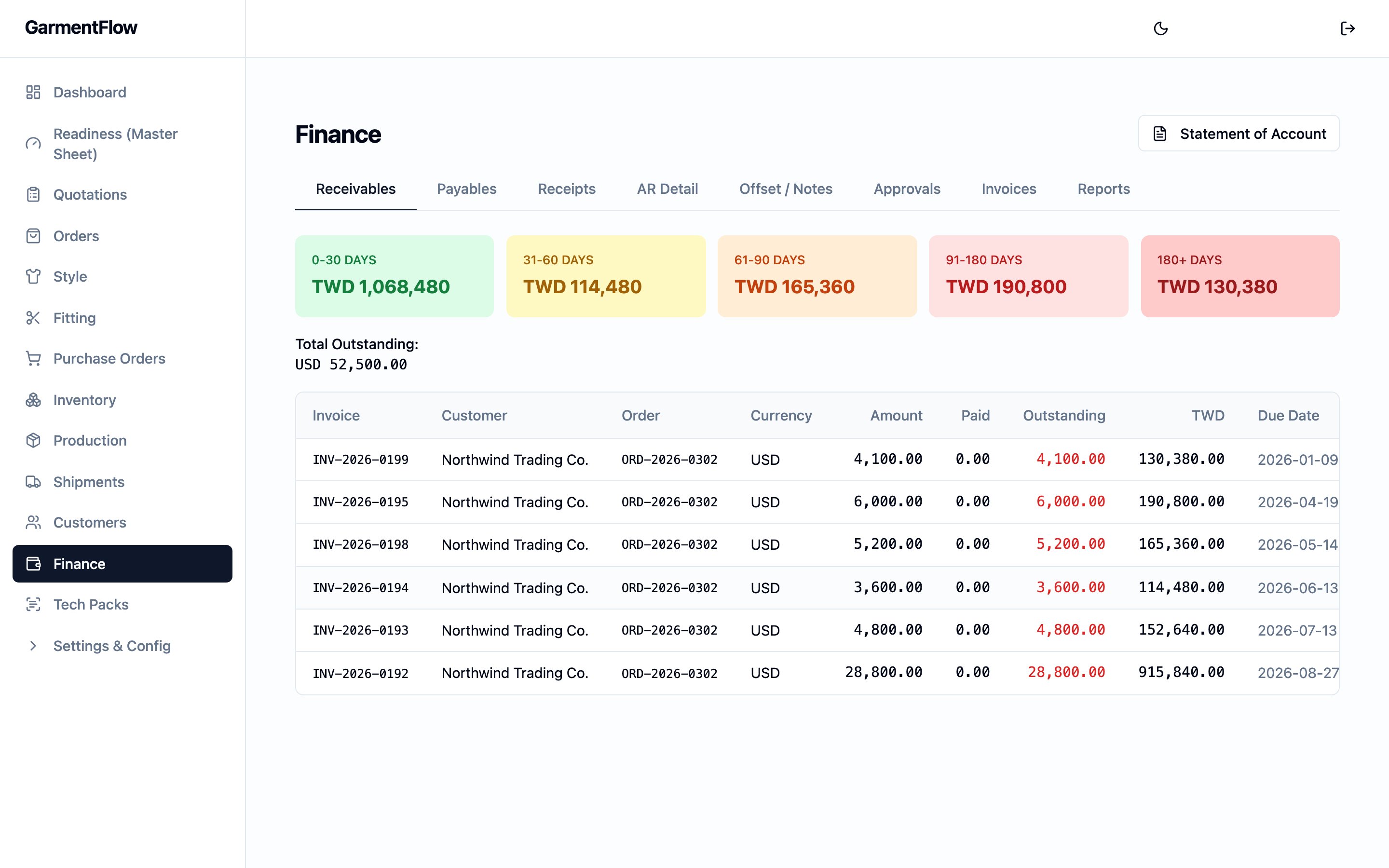
The Finance module — the receivables board on the first tab, payables, receipts, AR detail, offsets and notes, approvals, invoices, and reports under the same hub.
What this module is
Finance is where the money attached to an becomes real. Selling a style produces a charge a customer owes you; buying materials produces a charge you owe a vendor; the receipts and payments that follow settle each side; corrections, returns, and rebates are recorded as debit and credit notes; and every figure the team relies on — aging, balances, statements, and the export to your bookkeeping system — is read off the same source. That source is the finance ledger, the canonical record of every money movement in the workspace. Every screen in this module either records a movement to the ledger or reads from it; the ledger keeps the balances honest.Why it exists
An apparel order travels through several months between the day it is confirmed and the day it is paid. Deposits and balance receipts arrive at different times, vendor invoices for fabric and trims accrue ahead of shipment, freight and inspection invoices land late, and many of the documents are in a currency that is not your workspace’s reporting currency. Finance is the place that holds all of those moving parts in one consistent view so the team can answer two questions at any moment: what is owed to us and what do we owe.How it relates to orders and production
Finance does not originate orders or production work — it records the money that flows from them.- Orders create the customer-side activity Finance records: a proforma invoice opens the deposit, a commercial invoice raises the balance charge, and customer receipts close those charges out. See Orders.
- Production creates the vendor-side activity Finance records: factory and trim suppliers raise invoices against the manufacturing orders and the non-production costs that ship the goods (freight, inspection, customs, packaging, testing), and vendor payments close those charges out. See Production.
- Shipments trigger the commercial invoice the customer is billed against. See Shipments.
The Finance module surfaces
The module opens on a single tabbed landing. Each tab is one finance surface; they share the ledger underneath, so a movement recorded on one is visible on every other that reads it. The list below names each surface — the full behavior of each one is covered on its own page in this section.- Receivables. The aging board for what customers owe you, organised into age buckets so the team can see what is current, what is approaching due, and what is overdue. The unreconciled-receivables worklist sits here.
- Payables. The aging board for what you owe vendors, with the same bucketing and worklist treatment.
- Receipts. The screen for recording money received from a customer against one or more invoices, including batch receipts that settle several invoices at once and the application of an advance deposit against an invoice raised later.
- AR Detail. A per-customer drill-down on receivables — open invoices, outstanding balance, and the path into a customer statement.
- Offset / Notes. Where deposits and advance receipts are applied against invoices, and where debit notes and credit notes are issued and managed.
- Approvals. The approval worklist for finance documents that need a second signature — vendor payments and debit and credit notes. The tab is shown only to the Finance checker and the Administrator roles, and a submitter never sees their own items on it. See Maker-checker approvals.
- Invoices. The list of customer invoices and the debit and credit notes attached to them.
- Reports. The Finance reporting layer — a per-order cost-sheet view, the AP summary, the gross-margin and expense-analysis reports, and the Order Profit and Customer Profit roll-ups that read the workspace’s cost allocation overlay. Reports export to Excel and CSV; a separate back-office 正航 / ChengHang T357 voucher export is available for workspaces that book their accounts in that system.
Foreign currency
Many apparel workspaces invoice and pay in a mix of currencies. Finance records every movement in the document’s own currency and, on the same movement, the equivalent in the workspace’s reporting currency at the rate in effect on the document’s date — so balances can be read in either view. When the rate at payment differs from the rate that was booked when the invoice was raised, the difference is recorded as a realized foreign-exchange gain or loss on the ledger, in the reporting currency. See Foreign exchange for the full behaviour — including the FX-rate re-stamp that runs when an order’s currency is changed and the base currency every Finance figure reconciles to — FX Rates for how rates are managed, and the finance ledger for how the gain or loss is recorded.Approvals on finance documents
Three Finance documents are gated by the workspace’s maker-checker model: vendor payments, debit notes, and credit notes. The person who prepares the document is the maker; a different person must approve it as the checker, and the same user can never play both parts on the same document. The full rule — who may act in each part, the lifecycle, and the worklist that surfaces pending items — is on Maker-checker approvals. This module enforces it; the rule itself is canonical there.Key concepts
- The finance ledger — the single record behind every figure in this module.
- Aging buckets — the five-band aging rule and the per-currency sub-total rule shared by every Finance view.
- Cost allocation — how the workspace’s non-production costs are attributed across an order’s styles so the loaded-cost profitability roll-ups can be read.
- Maker-checker approvals — the dual-control rule on vendor payments and debit and credit notes.
- FX rates — how rates are entered and how the workspace’s reporting currency is chosen.