> ## Documentation Index
> Fetch the complete documentation index at: https://docs.garmentflow.ai/llms.txt
> Use this file to discover all available pages before exploring further.
# Build the cost sheet
> Mint, build up, and approve a cost-sheet version on a style — the priced, audience-approved sheet that supports the quotation, proforma, and order.
A [cost sheet](/reference/glossary#cost-sheet)
is how a
[style](/reference/glossary#style)
is priced — line by line and side by side, what each piece costs the factory
and what the customer is being quoted for it. Build one and get it approved
per audience, so the rest of the commercial flow has a settled price basis to
work from.
## What this workflow achieves
You end this workflow with a saved, audience-approved cost-sheet version on
the style: a factory side, a customer side, and a per-piece margin between
them. The version is the price basis the
[quotation](/modules/quotations), proforma invoice, and
[order](/modules/orders) carry — and, when the version is tied to an order,
the version that order's
[artifact-version](/reference/glossary#artifact-version)
pin advances onto.
## When to use it
* A style has its
[BOM](/reference/glossary#bom-bill-of-materials)
in place and needs its first cost-sheet version before quoting.
* The price basis has changed — a material is renegotiated, the customer
multiplier has moved, a reorder needs a fresh build-up — and the next
quotation or order needs a new version to point at.
* A sheet is partway through approval and the remaining audience is ready
to sign off.
If the style does not yet exist or has no BOM, do that work first — see
[Develop a style](/modules/develop-a-style) and the [BOM page](/modules/bom).
## Prerequisites
* **A style with a current BOM.** The cost sheet is built by copying from
the style's BOM, so the style must have a BOM version in place. The BOM
does **not** need to be approved — the Copy reads the current version
regardless of its status.
* **At least one approval audience enabled in your tenant.** Your
administrator configures which of the factory, customer, and internal
audiences are in use. A new cost-sheet version cannot be created when
none are enabled.
* **Cost-sheet write permission**, for the user creating the version,
editing lines, running Copy from BOM, and approving or rejecting an
audience. Reads and exports are open to any authenticated user in your
tenant.
## Roles involved
Users with cost-sheet write permission create cost-sheet versions, edit
the header and lines, run Copy from BOM, and approve or reject an
audience. The platform does not restrict the customer audience to sales
users, or the internal audience to finance users — any user with
cost-sheet approval permission may approve any audience. Anyone
authenticated to your tenant can open a saved cost sheet, read it, and
export the audience view they need.
## Step-by-step
1. **Open the style's Cost tab.** Open the **Styles** module, open the
style, and go to the **Cost** tab. Existing versions appear in the
version list.
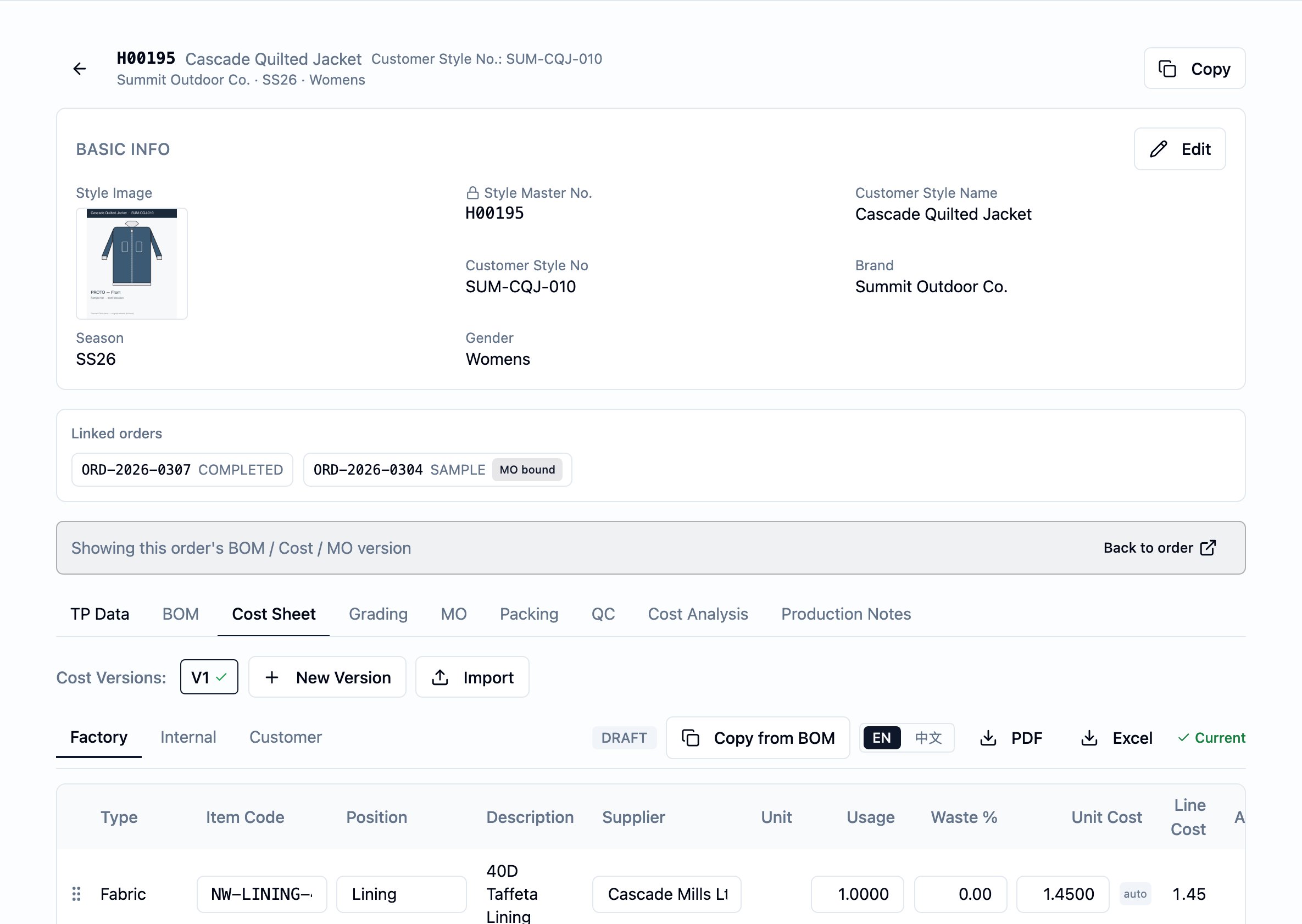
2. **Mint a new cost-sheet version.** Start a new version. It opens in
**Draft** — full edit access — with one **Pending** approval row per
enabled audience. If you are working inside an order at the time, the
new version is tied to that order; otherwise it stays at style level.
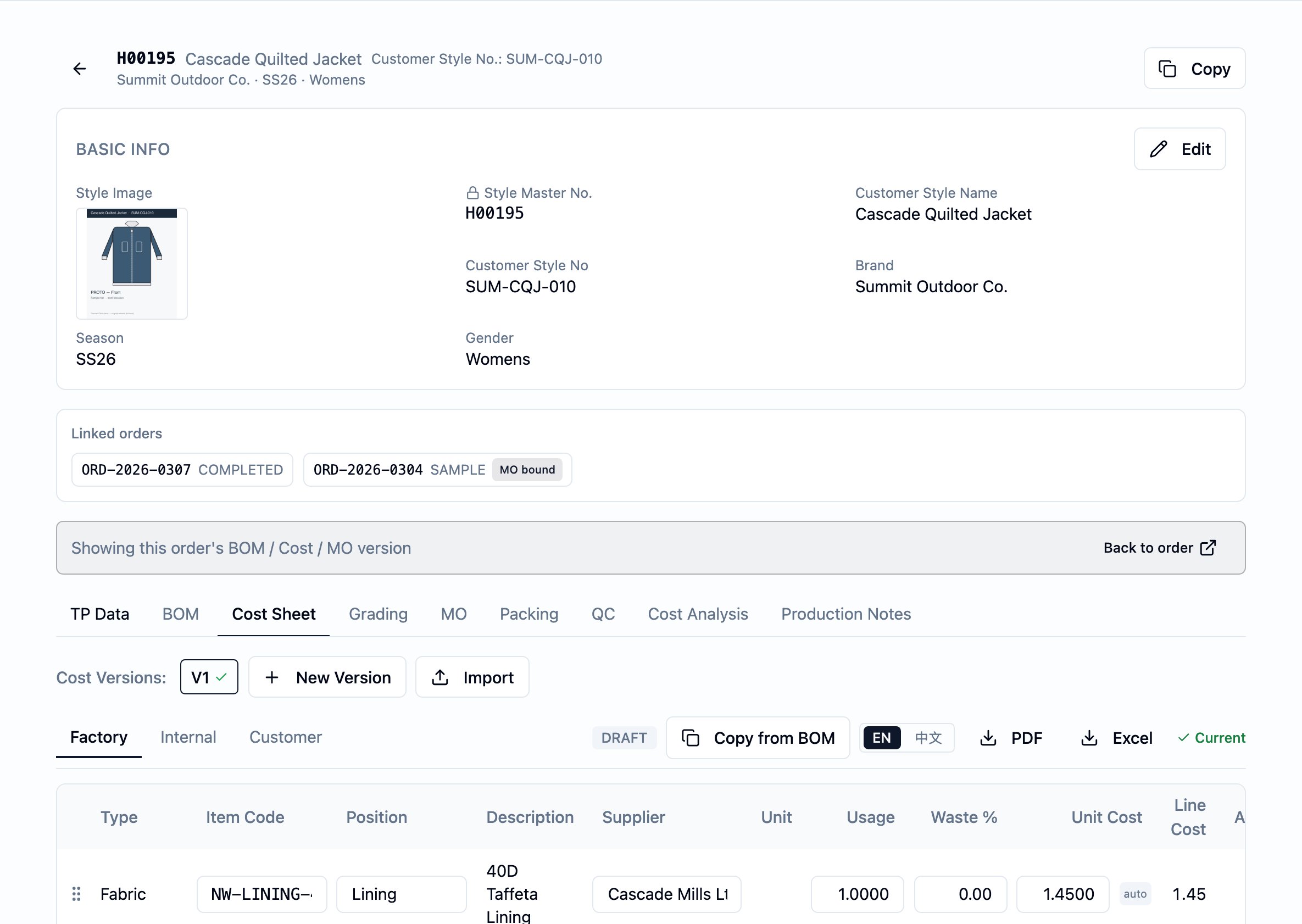
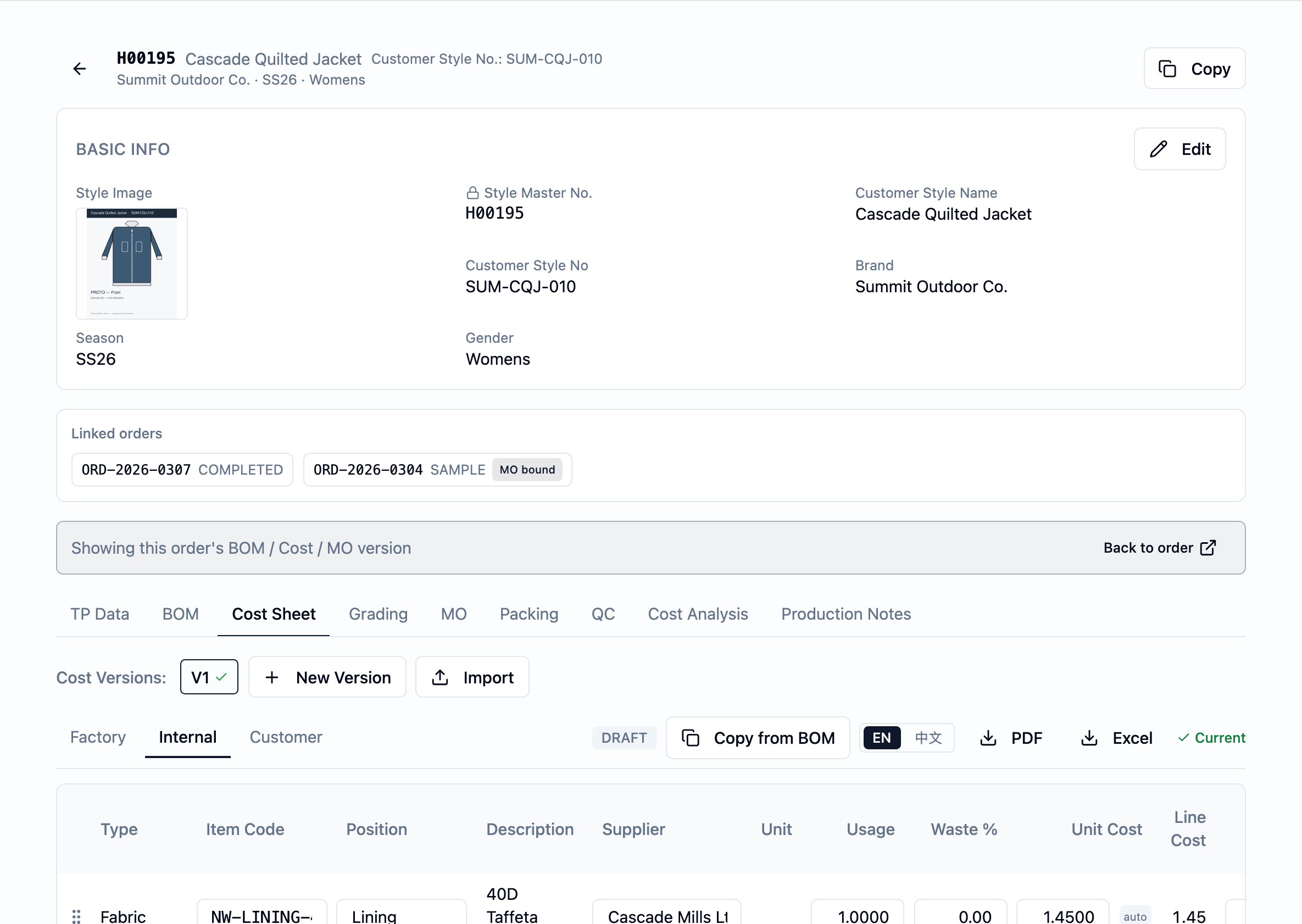
3. **Run Copy from BOM.** With the new version open, press
"Copy from BOM". The platform appends a cost line for each fabric and
accessory line on the style's current BOM, capturing the `Item code`,
`Position`, `Supplier`, `Unit` (the report/quote unit), `Usage`,
`Unit cost (factory)`, and `Customer unit cost` on the cost line.
`Purchase unit` — the unit you actually buy in, when it differs from
the quote unit — is **not** seeded by Copy; fill it after Copy on the
factory or internal view when it applies. From that moment on, the
cost line is the source of truth for that material — later edits to
the BOM line or to the underlying fabric or accessory master do not
flow into the cost sheet. Re-running Copy is safe: lines already
linked to a BOM line are left alone, and BOM lines added since the
last run are seeded as new cost lines. CM and miscellaneous amounts
are **not** copied; they sit on the header.
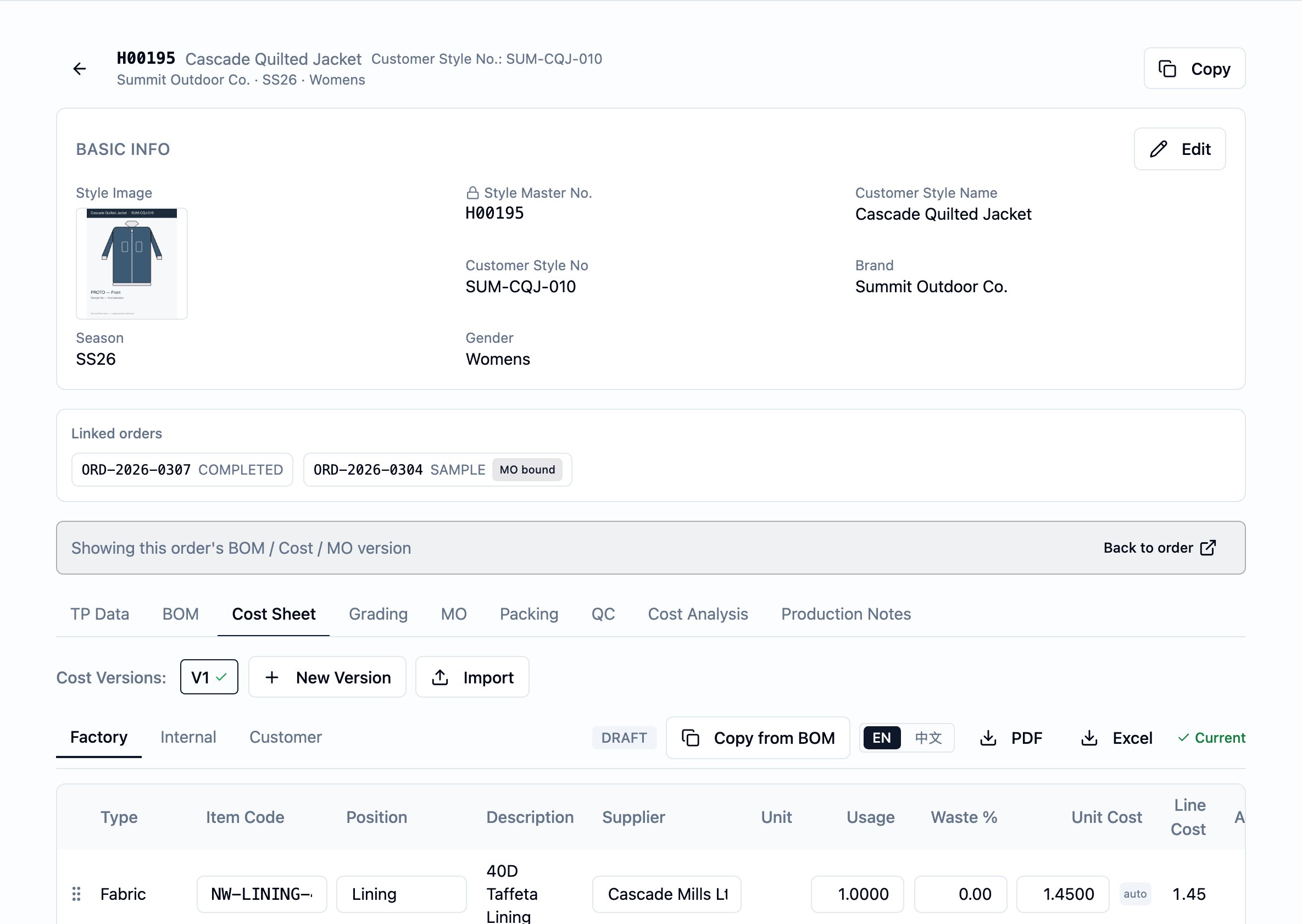
4. **Set the per-line markup.** For each line, choose one of two
modes:
* **Multiplier mode** — set a `Customer multiplier`. The customer-side
line cost is computed as the factory-side line cost multiplied by
the value, and the line's `Customer unit cost` shows the
post-multiplier value — the factory unit cost times the
multiplier. That is what the Cost tab displays and what the
customer export quotes.
* **Manual mode** — leave `Customer multiplier` blank and fill
`Usage (customer)` and `Customer unit cost` directly.
A single line cannot be in both modes at once.
5. **Fill the rest of the build-up.** On each cost line, set `Waste %`
where it applies — Copy leaves it blank. On the header, set the
per-piece `CM (factory)` and `CM (customer)` and the `Misc (factory)`
and `Misc (customer)` add-ons that apply to the whole sheet. Add any
`Notes` that belong on the sheet.
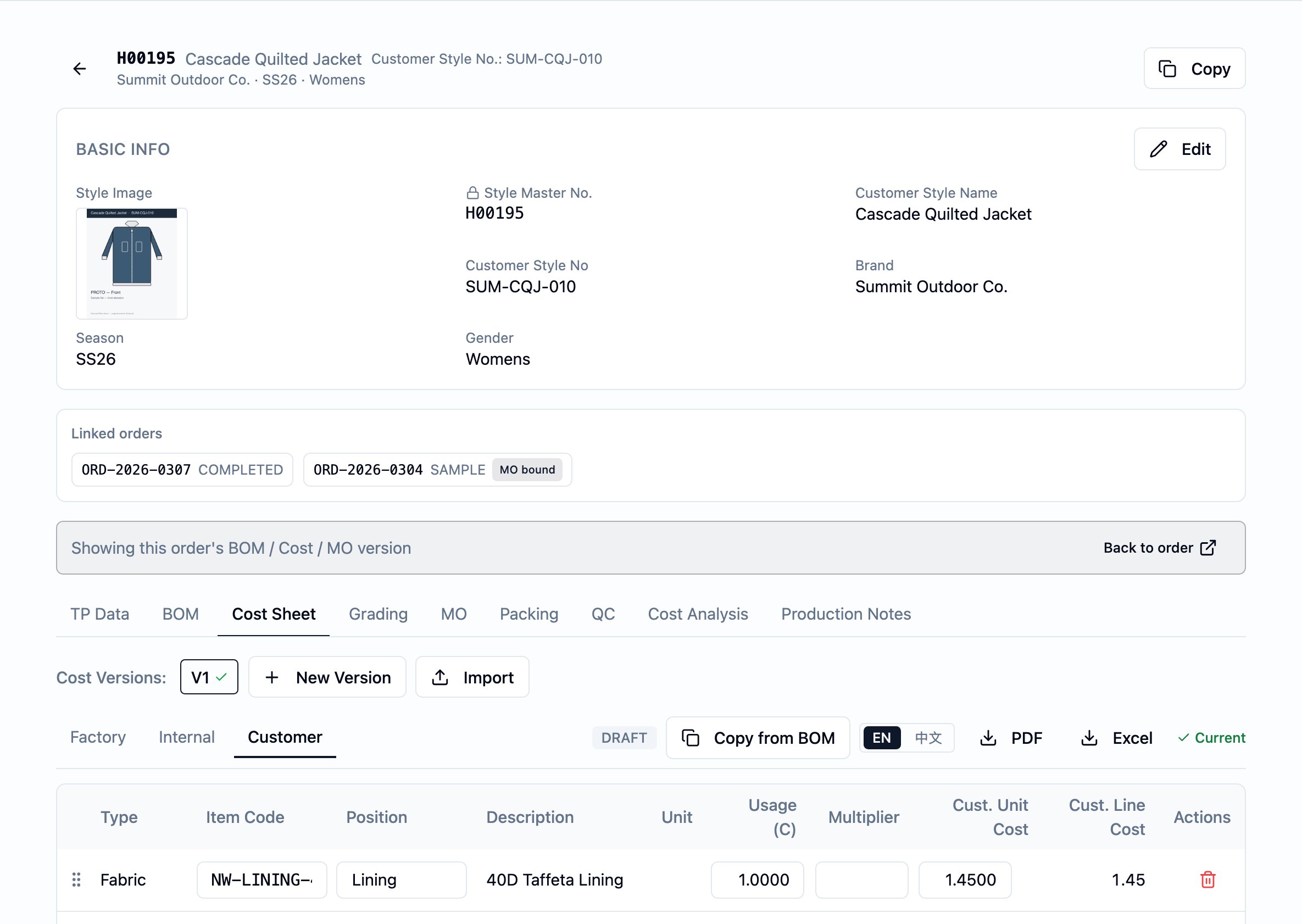
6. **Review each audience's view.** The Cost tab's audience tabs —
**Factory**, **Customer**, **Internal** — show different cuts of the
same sheet. The customer **view** shows `Item code` and `Position`
along with the customer-side numbers; only `Supplier` and the
factory-side numbers are hidden from it. The customer **export**
omits the sourcing columns entirely. The internal view shows both
sides and the margin. Check each audience's view shows what you want
that side to see before sign-off.
7. **Approve per audience.** When an audience is ready, approve its row.
Each audience's sign-off is independent — sales can approve the
customer view while the factory side is still in negotiation. When the
last audience approves, the header derives to **Approved** and edits
are refused.
### Reject and re-approve
If an audience is not ready to sign off, **reject** its row with a note
explaining why. A rejection sends the header status back to **Draft**, no
matter how many other audiences have already approved. Fix the build-up
in Draft, then re-approve the rejected audience — the rejection's
`Rejected by`, `Rejected at`, and `Rejection note` are cleared and
replaced by the new `Approved by` and `Approved at`. The user clearing
the rejection does not have to be the user who recorded it.
## Decision points
* **Multiplier mode vs. manual mode per line.** Multiplier mode keeps the
customer side in step with the factory side automatically — a factory
cost renegotiation flows straight through to the customer line cost.
Reach for manual mode only when the customer price is genuinely
independent of the factory cost.
* **Approve now vs. wait for the rest.** The per-audience model lets one
side sign off while another is still being worked. Approve the side
that is ready; the sheet shows **Partially approved** until the last
audience signs off.
* **Reject vs. edit-in-place.** Edits are restricted to **Draft**. If a
sheet has already crossed into **Partially approved** or **Approved**
and a value needs to change, either reject an audience (which sends
the header back to Draft) or mint a new version — depending on whether
the original change was a correction or a renegotiation.
* **Style-level vs. tied to an order.** A version created without an
order context is style-level. A version created in an order context is
tied to that order, and the order's pin onto the cost sheet advances
in lockstep when the version is created, marked current, or switched.
Both can coexist on the same style.
## Business rules in play
These rules govern this workflow. They are documented once on the
[Cost Sheet page](/modules/cost-sheet); this workflow only summarizes.
* The cost sheet's "lock" works in three layers — values freeze on the
cost line at **Copy from BOM**, **Approved** freezes the document from
further edits, and the version locks to an order via the per-order
pin. See the canonical
[Price-lock framing](/modules/cost-sheet#price-lock-framing).
* Edits are restricted to **Draft**. Header changes, line add/edit/delete,
reorder, and Copy from BOM all require the sheet to be in Draft.
* The header status is **derived** from the per-audience approval rows;
you never set it directly. Any rejection sends the header back to
Draft, regardless of how many other approvals stand.
* **Approval is not gated by content.** The platform does not refuse
approval of a sheet with no lines, missing prices, or zero totals —
approve when the build-up is ready.
* **Copy from BOM** seeds only fabric and accessory lines, skips lines
already linked to a BOM line, and does **not** require an approved
BOM.
## Dates set or affected
Building a cost sheet sets **no business dates of its own** — no quote
date, no effective-from, no expiry. The dates that bound a quote in
business terms live on the upstream
[quotation](/reference/glossary#quotation)
or proforma invoice.
The sign-off trail lives on the per-audience approval rows:
* **`Approved at`** — set on an audience row at the moment the audience
approves; cleared if that audience is later rejected.
* **`Rejected at`** — set on an audience row at the moment the audience
rejects; cleared on re-approval.
The header carries `Created` and `Last updated` for reference. There are
no computed dates and no date-chain propagation from the cost sheet
outward.
## What happens next
A saved, approved cost-sheet version is the price basis the rest of the
commercial flow reads from:
1. The customer side of the sheet is the price basis the
[quotation](/modules/quotations), proforma invoice, and
[order](/modules/orders) carry.
2. The audience-tailored **PDF** and **Excel** exports are ready to
share — the factory export with sourcing columns, the customer
export without, the internal export with both sides and the margin.
The **customer export** is always in English (the same file can go
to any customer regardless of who generated it) and its footer
carries the customer's own style number from the style record; the
**factory and internal exports** can be downloaded with English or
Chinese column labels — the labels switch, the values stay as
entered. Export works on any status, so a Draft export is possible
and is visibly labeled as such.
3. The style's **Cost analysis** view shows the per-piece revenue,
cost, margin, and margin %, plus an order projection when an order
is selected. It reads the current cost-sheet version, is internal
only, and is not surfaced on any customer-facing document.
When the price basis needs to change later — a renegotiation, a
reorder, a multiplier move — mint a new version rather than editing an
approved one. Prior versions stay readable, and any order built against
an earlier version keeps the version it was built against. For the
model behind that, see
[BOM, cost sheet, and artifact versions](/concepts/bom-cost-sheet-artifact-versions).
## Best practices
* **Start every version with Copy from BOM.** The line identity stays
consistent with the BOM, the sourcing fields come in correctly, and
you skip the retyping.
* **Prefer the customer multiplier over typing customer unit costs.**
Multiplier mode keeps the customer side in step with the factory side
automatically; manual mode is for prices that move independently.
* **Set `Waste %` on every fabric line that needs it.** Copy leaves it
blank; the factory line cost stays empty until you fill it (or until
you accept zero waste deliberately).
* **Use the header `CM` and `Misc` add-ons rather than ad-hoc lines.**
They are the per-sheet, per-piece amounts the math expects, and they
keep the line list focused on materials.
* **Mint a new version for a renegotiation; do not try to edit an
approved sheet.** The platform refuses the edit, and the prior version
is the audit trail for what an earlier quotation or order was built on.
* **Approve per audience as each side is ready.** Sales can approve the
customer view while the factory side is still being negotiated; the
sheet shows **Partially approved** until the last audience signs off.
* **Reject with a clear note.** The note is the record of what the next
Draft pass has to address — write it for the person who will fix the
sheet.
## Related pages
* [Cost Sheet](/modules/cost-sheet)
* [Develop a style](/modules/develop-a-style)
* [BOM](/modules/bom)
* [BOM, cost sheet, and artifact versions](/concepts/bom-cost-sheet-artifact-versions)
* [Quotations](/modules/quotations)
 2. **Mint a new cost-sheet version.** Start a new version. It opens in
**Draft** — full edit access — with one **Pending** approval row per
enabled audience. If you are working inside an order at the time, the
new version is tied to that order; otherwise it stays at style level.
3. **Run Copy from BOM.** With the new version open, press
"Copy from BOM". The platform appends a cost line for each fabric and
accessory line on the style's current BOM, capturing the `Item code`,
`Position`, `Supplier`, `Unit` (the report/quote unit), `Usage`,
`Unit cost (factory)`, and `Customer unit cost` on the cost line.
`Purchase unit` — the unit you actually buy in, when it differs from
the quote unit — is **not** seeded by Copy; fill it after Copy on the
factory or internal view when it applies. From that moment on, the
cost line is the source of truth for that material — later edits to
the BOM line or to the underlying fabric or accessory master do not
flow into the cost sheet. Re-running Copy is safe: lines already
linked to a BOM line are left alone, and BOM lines added since the
last run are seeded as new cost lines. CM and miscellaneous amounts
are **not** copied; they sit on the header.
2. **Mint a new cost-sheet version.** Start a new version. It opens in
**Draft** — full edit access — with one **Pending** approval row per
enabled audience. If you are working inside an order at the time, the
new version is tied to that order; otherwise it stays at style level.
3. **Run Copy from BOM.** With the new version open, press
"Copy from BOM". The platform appends a cost line for each fabric and
accessory line on the style's current BOM, capturing the `Item code`,
`Position`, `Supplier`, `Unit` (the report/quote unit), `Usage`,
`Unit cost (factory)`, and `Customer unit cost` on the cost line.
`Purchase unit` — the unit you actually buy in, when it differs from
the quote unit — is **not** seeded by Copy; fill it after Copy on the
factory or internal view when it applies. From that moment on, the
cost line is the source of truth for that material — later edits to
the BOM line or to the underlying fabric or accessory master do not
flow into the cost sheet. Re-running Copy is safe: lines already
linked to a BOM line are left alone, and BOM lines added since the
last run are seeded as new cost lines. CM and miscellaneous amounts
are **not** copied; they sit on the header.
 4. **Set the per-line markup.** For each line, choose one of two
modes:
* **Multiplier mode** — set a `Customer multiplier`. The customer-side
line cost is computed as the factory-side line cost multiplied by
the value, and the line's `Customer unit cost` shows the
post-multiplier value — the factory unit cost times the
multiplier. That is what the Cost tab displays and what the
customer export quotes.
* **Manual mode** — leave `Customer multiplier` blank and fill
`Usage (customer)` and `Customer unit cost` directly.
A single line cannot be in both modes at once.
5. **Fill the rest of the build-up.** On each cost line, set `Waste %`
where it applies — Copy leaves it blank. On the header, set the
per-piece `CM (factory)` and `CM (customer)` and the `Misc (factory)`
and `Misc (customer)` add-ons that apply to the whole sheet. Add any
`Notes` that belong on the sheet.
6. **Review each audience's view.** The Cost tab's audience tabs —
**Factory**, **Customer**, **Internal** — show different cuts of the
same sheet. The customer **view** shows `Item code` and `Position`
along with the customer-side numbers; only `Supplier` and the
factory-side numbers are hidden from it. The customer **export**
omits the sourcing columns entirely. The internal view shows both
sides and the margin. Check each audience's view shows what you want
that side to see before sign-off.
4. **Set the per-line markup.** For each line, choose one of two
modes:
* **Multiplier mode** — set a `Customer multiplier`. The customer-side
line cost is computed as the factory-side line cost multiplied by
the value, and the line's `Customer unit cost` shows the
post-multiplier value — the factory unit cost times the
multiplier. That is what the Cost tab displays and what the
customer export quotes.
* **Manual mode** — leave `Customer multiplier` blank and fill
`Usage (customer)` and `Customer unit cost` directly.
A single line cannot be in both modes at once.
5. **Fill the rest of the build-up.** On each cost line, set `Waste %`
where it applies — Copy leaves it blank. On the header, set the
per-piece `CM (factory)` and `CM (customer)` and the `Misc (factory)`
and `Misc (customer)` add-ons that apply to the whole sheet. Add any
`Notes` that belong on the sheet.
6. **Review each audience's view.** The Cost tab's audience tabs —
**Factory**, **Customer**, **Internal** — show different cuts of the
same sheet. The customer **view** shows `Item code` and `Position`
along with the customer-side numbers; only `Supplier` and the
factory-side numbers are hidden from it. The customer **export**
omits the sourcing columns entirely. The internal view shows both
sides and the margin. Check each audience's view shows what you want
that side to see before sign-off.
 7. **Approve per audience.** When an audience is ready, approve its row.
Each audience's sign-off is independent — sales can approve the
customer view while the factory side is still in negotiation. When the
last audience approves, the header derives to **Approved** and edits
are refused.
### Reject and re-approve
If an audience is not ready to sign off, **reject** its row with a note
explaining why. A rejection sends the header status back to **Draft**, no
matter how many other audiences have already approved. Fix the build-up
in Draft, then re-approve the rejected audience — the rejection's
`Rejected by`, `Rejected at`, and `Rejection note` are cleared and
replaced by the new `Approved by` and `Approved at`. The user clearing
the rejection does not have to be the user who recorded it.
## Decision points
* **Multiplier mode vs. manual mode per line.** Multiplier mode keeps the
customer side in step with the factory side automatically — a factory
cost renegotiation flows straight through to the customer line cost.
Reach for manual mode only when the customer price is genuinely
independent of the factory cost.
* **Approve now vs. wait for the rest.** The per-audience model lets one
side sign off while another is still being worked. Approve the side
that is ready; the sheet shows **Partially approved** until the last
audience signs off.
* **Reject vs. edit-in-place.** Edits are restricted to **Draft**. If a
sheet has already crossed into **Partially approved** or **Approved**
and a value needs to change, either reject an audience (which sends
the header back to Draft) or mint a new version — depending on whether
the original change was a correction or a renegotiation.
* **Style-level vs. tied to an order.** A version created without an
order context is style-level. A version created in an order context is
tied to that order, and the order's pin onto the cost sheet advances
in lockstep when the version is created, marked current, or switched.
Both can coexist on the same style.
## Business rules in play
These rules govern this workflow. They are documented once on the
[Cost Sheet page](/modules/cost-sheet); this workflow only summarizes.
* The cost sheet's "lock" works in three layers — values freeze on the
cost line at **Copy from BOM**, **Approved** freezes the document from
further edits, and the version locks to an order via the per-order
pin. See the canonical
[Price-lock framing](/modules/cost-sheet#price-lock-framing).
* Edits are restricted to **Draft**. Header changes, line add/edit/delete,
reorder, and Copy from BOM all require the sheet to be in Draft.
* The header status is **derived** from the per-audience approval rows;
you never set it directly. Any rejection sends the header back to
Draft, regardless of how many other approvals stand.
* **Approval is not gated by content.** The platform does not refuse
approval of a sheet with no lines, missing prices, or zero totals —
approve when the build-up is ready.
* **Copy from BOM** seeds only fabric and accessory lines, skips lines
already linked to a BOM line, and does **not** require an approved
BOM.
## Dates set or affected
Building a cost sheet sets **no business dates of its own** — no quote
date, no effective-from, no expiry. The dates that bound a quote in
business terms live on the upstream
7. **Approve per audience.** When an audience is ready, approve its row.
Each audience's sign-off is independent — sales can approve the
customer view while the factory side is still in negotiation. When the
last audience approves, the header derives to **Approved** and edits
are refused.
### Reject and re-approve
If an audience is not ready to sign off, **reject** its row with a note
explaining why. A rejection sends the header status back to **Draft**, no
matter how many other audiences have already approved. Fix the build-up
in Draft, then re-approve the rejected audience — the rejection's
`Rejected by`, `Rejected at`, and `Rejection note` are cleared and
replaced by the new `Approved by` and `Approved at`. The user clearing
the rejection does not have to be the user who recorded it.
## Decision points
* **Multiplier mode vs. manual mode per line.** Multiplier mode keeps the
customer side in step with the factory side automatically — a factory
cost renegotiation flows straight through to the customer line cost.
Reach for manual mode only when the customer price is genuinely
independent of the factory cost.
* **Approve now vs. wait for the rest.** The per-audience model lets one
side sign off while another is still being worked. Approve the side
that is ready; the sheet shows **Partially approved** until the last
audience signs off.
* **Reject vs. edit-in-place.** Edits are restricted to **Draft**. If a
sheet has already crossed into **Partially approved** or **Approved**
and a value needs to change, either reject an audience (which sends
the header back to Draft) or mint a new version — depending on whether
the original change was a correction or a renegotiation.
* **Style-level vs. tied to an order.** A version created without an
order context is style-level. A version created in an order context is
tied to that order, and the order's pin onto the cost sheet advances
in lockstep when the version is created, marked current, or switched.
Both can coexist on the same style.
## Business rules in play
These rules govern this workflow. They are documented once on the
[Cost Sheet page](/modules/cost-sheet); this workflow only summarizes.
* The cost sheet's "lock" works in three layers — values freeze on the
cost line at **Copy from BOM**, **Approved** freezes the document from
further edits, and the version locks to an order via the per-order
pin. See the canonical
[Price-lock framing](/modules/cost-sheet#price-lock-framing).
* Edits are restricted to **Draft**. Header changes, line add/edit/delete,
reorder, and Copy from BOM all require the sheet to be in Draft.
* The header status is **derived** from the per-audience approval rows;
you never set it directly. Any rejection sends the header back to
Draft, regardless of how many other approvals stand.
* **Approval is not gated by content.** The platform does not refuse
approval of a sheet with no lines, missing prices, or zero totals —
approve when the build-up is ready.
* **Copy from BOM** seeds only fabric and accessory lines, skips lines
already linked to a BOM line, and does **not** require an approved
BOM.
## Dates set or affected
Building a cost sheet sets **no business dates of its own** — no quote
date, no effective-from, no expiry. The dates that bound a quote in
business terms live on the upstream